Plan it.
Lift it.
Track it.
Plan your week by muscle, log every set, and never lose a missed workout.
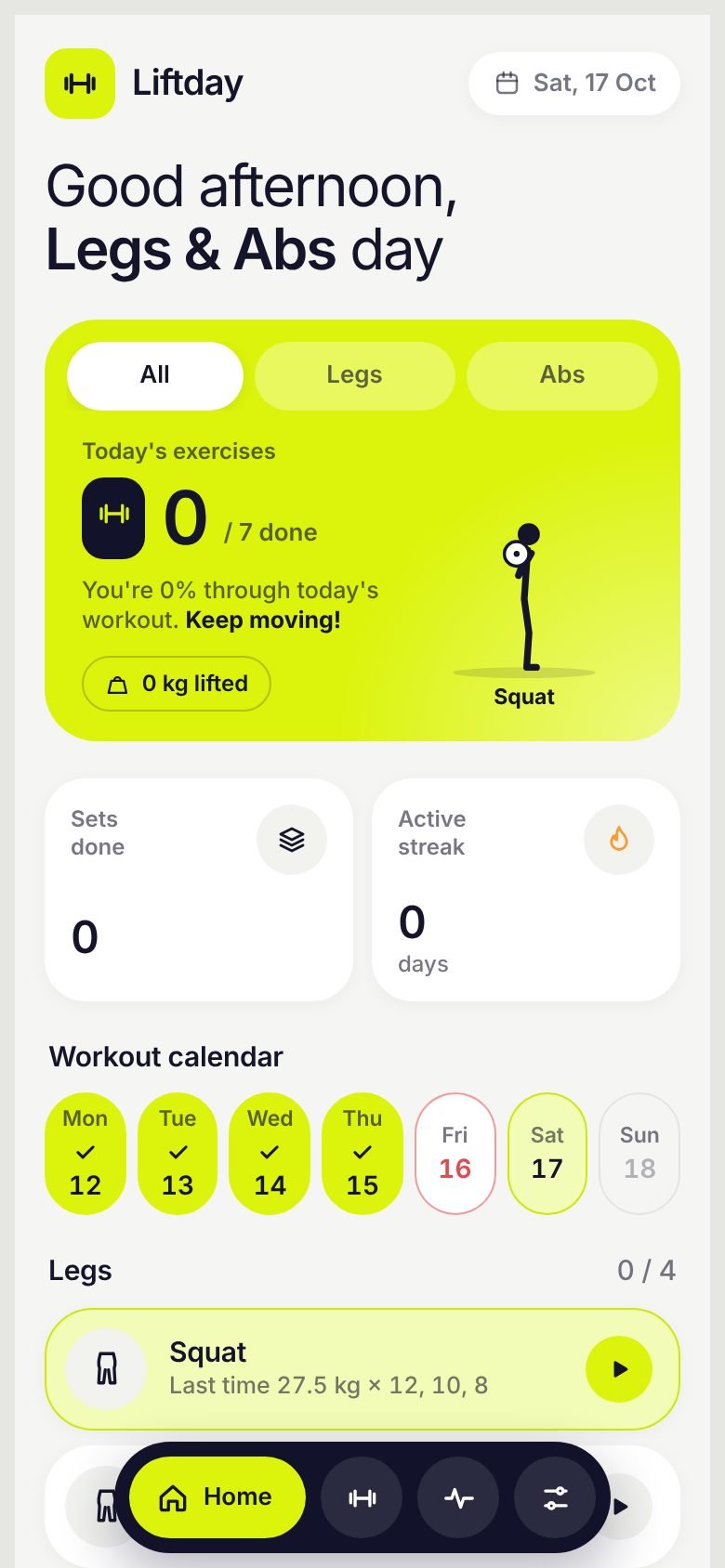
Exercises
Each with an animated guide
Muscle groups
Chest to calves, abs to forearms
Famous splits
Ready in one tap, or build your own
Works offline
No account needed to start
Everything you need. Nothing extra.
A plan that keeps up with your real week.
A weekly plan built by muscle
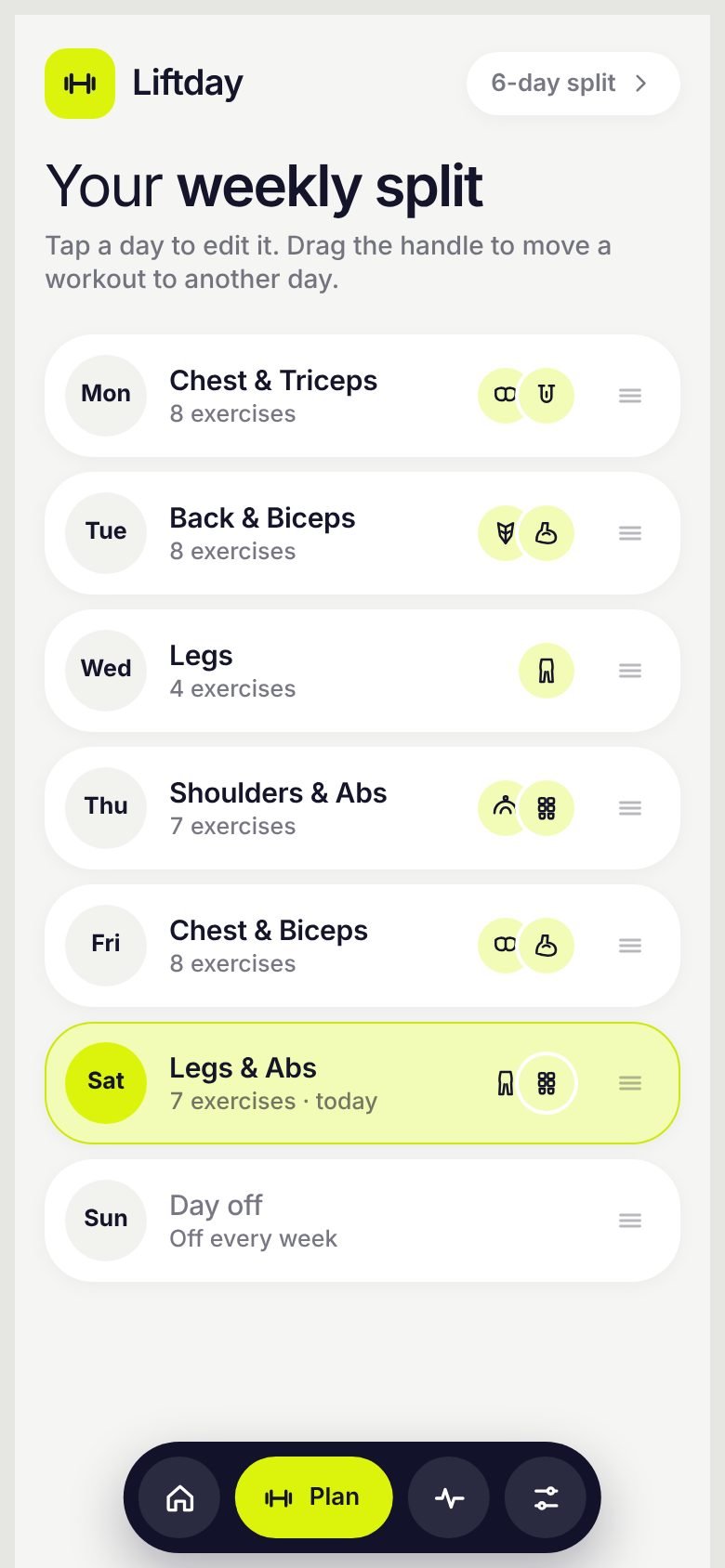
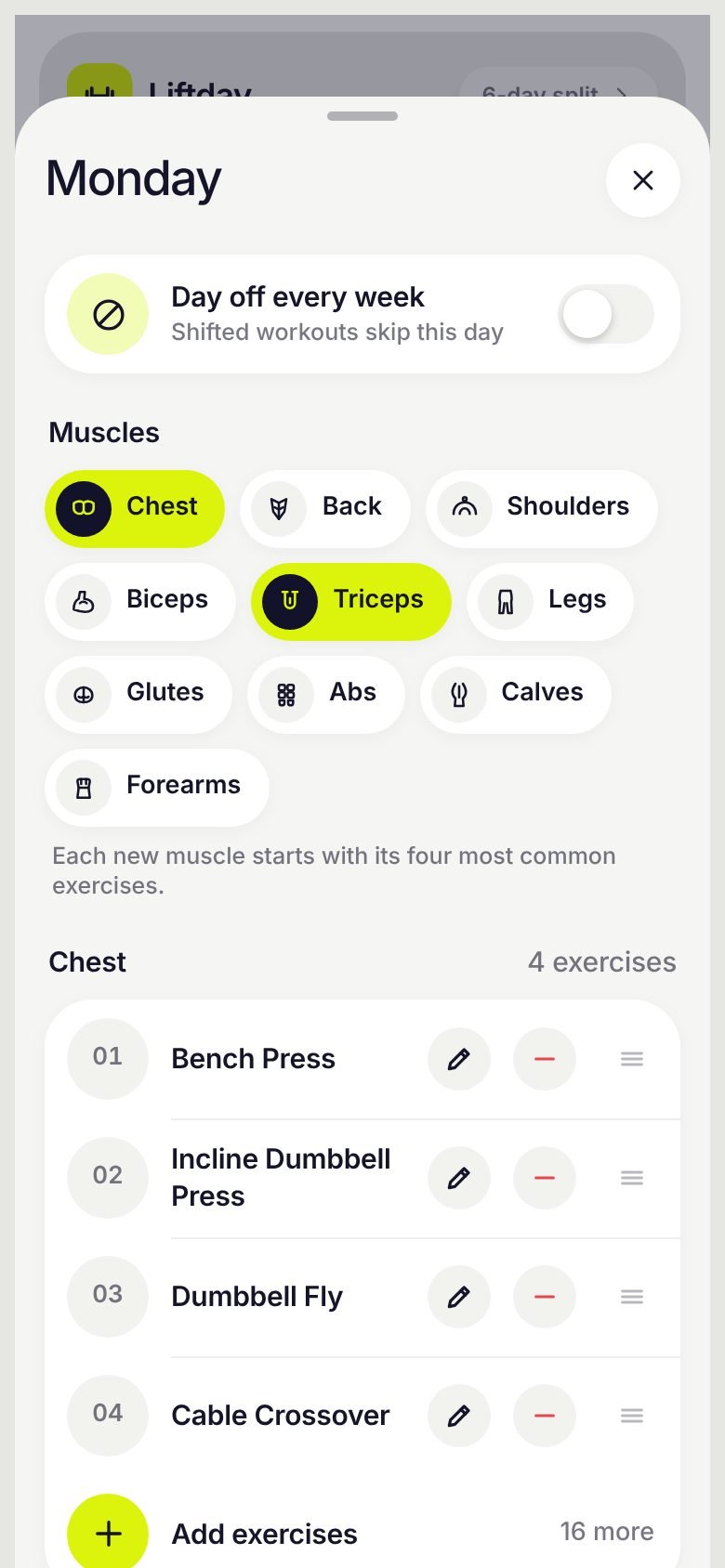
Give each day its own muscles. Common exercises are picked for you, and the full list is one tap away.
- Add your own exercisesMissing a machine at your gym? Type it in and it joins that muscle’s list.
- Drag to reorderPut your top exercises first, or drag a whole day's workout to another day. The weekdays stay put; the workouts move.
- Permanent days offMark any weekday as always off. Shifted workouts skip it and your streak is never broken by it.
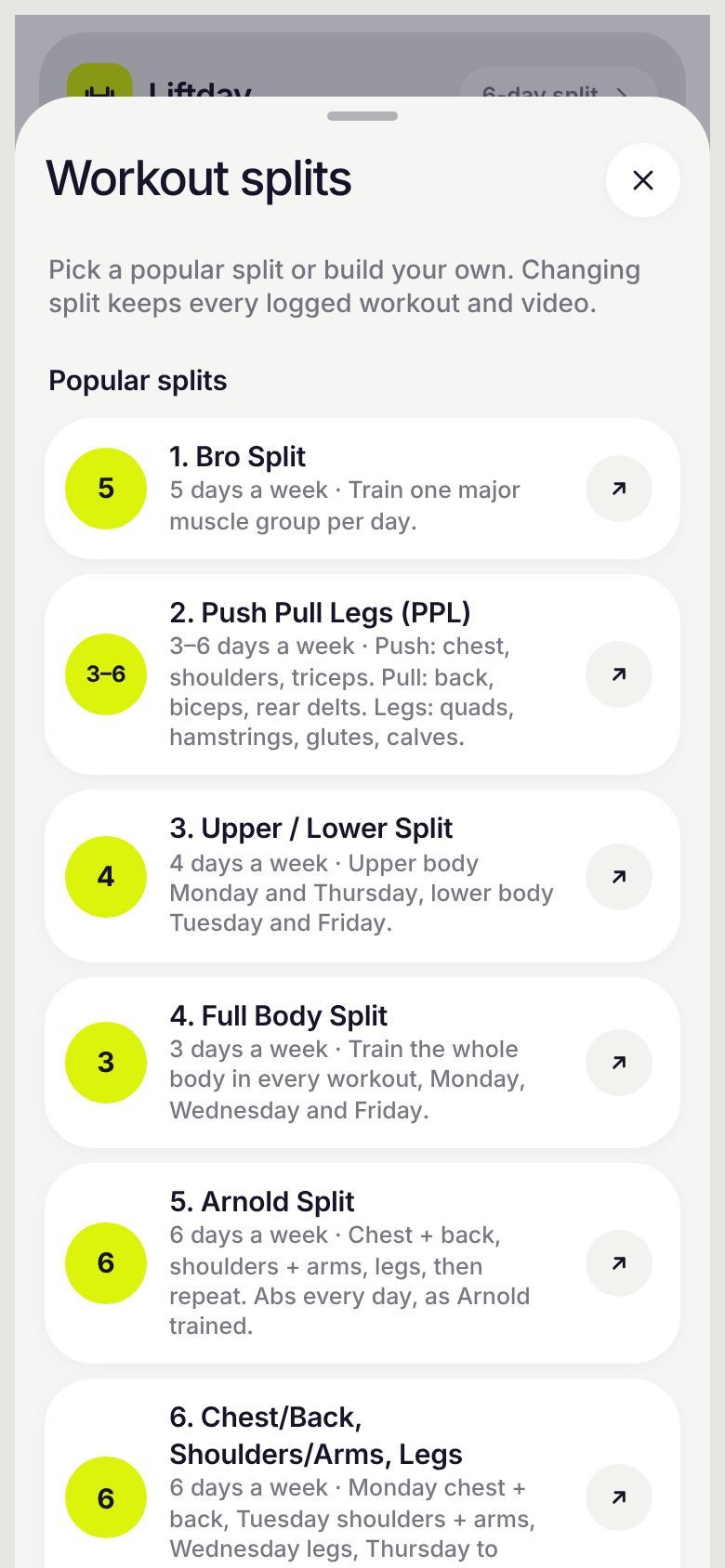
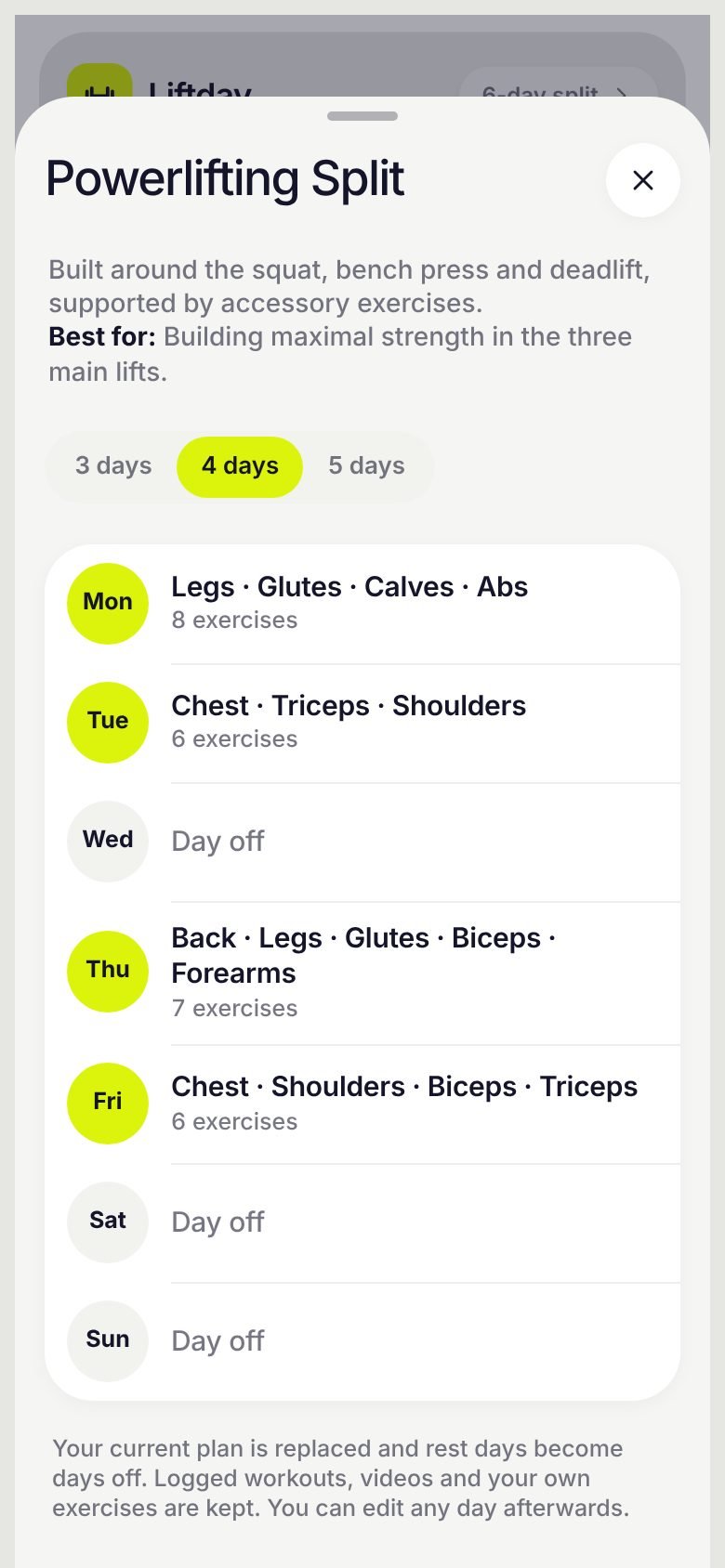
7 famous splits, or build your own
Start from the splits lifters actually use, and preview the full week before you apply it.
- Pick your days a weekPush Pull Legs comes in 3 or 6 days, Powerlifting in 3, 4 or 5, each built around the squat, bench and deadlift.
- Every muscle coveredEvery split trains all 10 muscle groups each week, with fewer exercises per muscle on busy days.
- Save your ownName your current plan and switch back to it any time, or start from an empty week.
Missed a day? Your plan shifts.
Skip a day and Liftday asks: do it today, or move on? Do it, and the rest of the week shifts so nothing is lost.
- Shift workouts on or offOn by default. Turn it off and missed workouts are simply skipped, keeping every workout on its own day.
- Take a holidayOne tap moves today's workout to tomorrow along with the rest of the week.
- Weekly shuffleTurn on Shuffle and each new week swaps in different exercises for the same muscles, until you have tried the whole list.
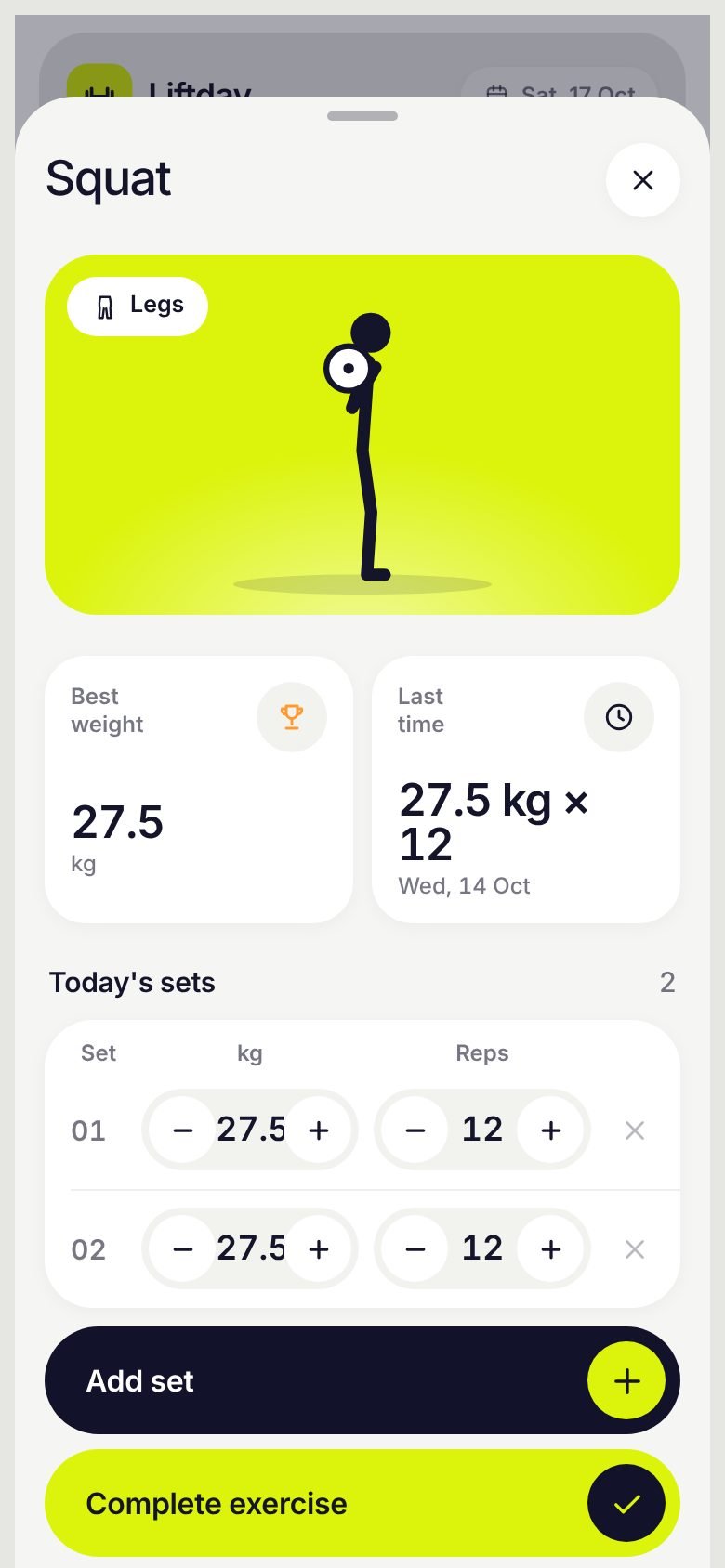
Log sets in seconds
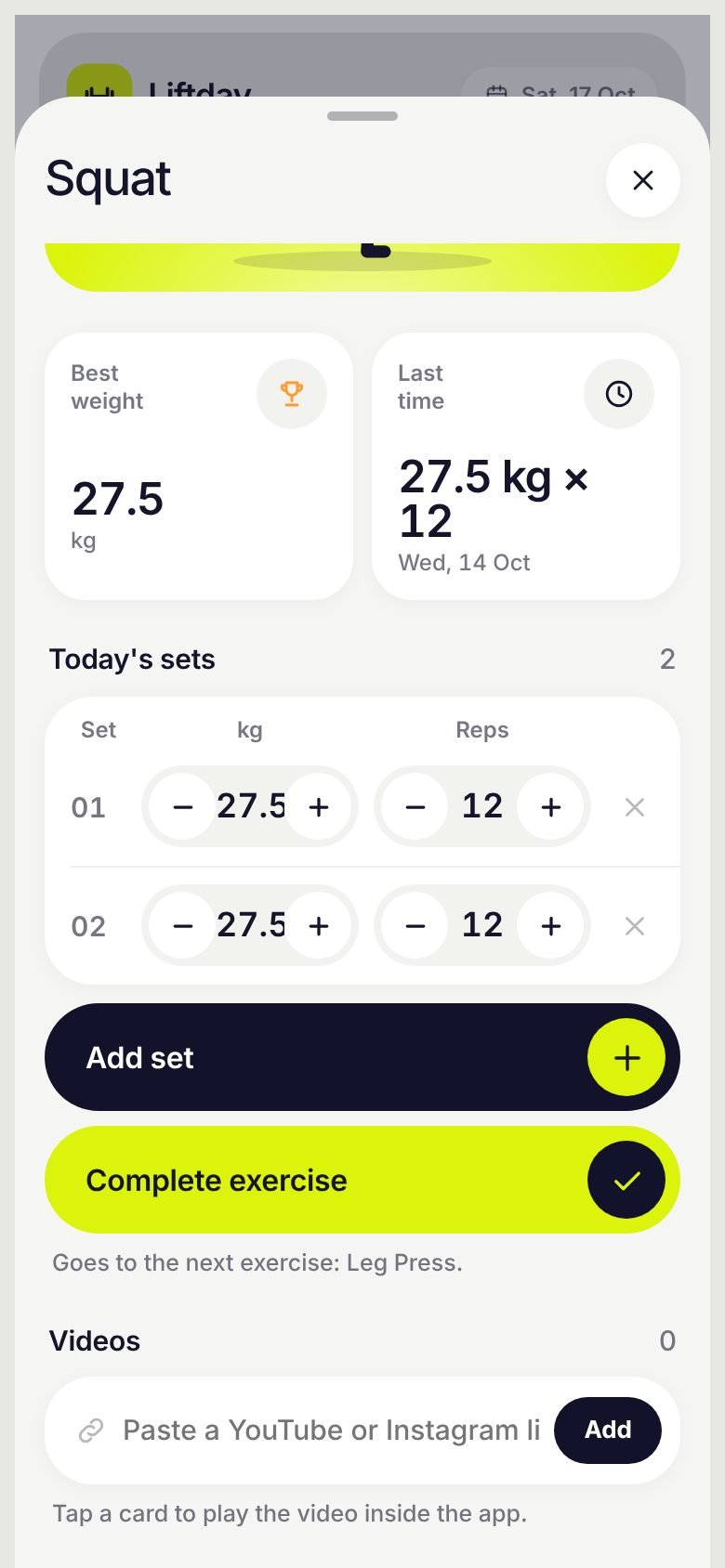
See your best and last weight, then add a set. It fills in from last time, so most sets take one tap.
- Dumbbell-sized stepsWeight moves in 2.5 kg or 5 lb jumps, just like the rack. Switch kg and lb any time.
- Personal recordsBeat your best weight and the set is tagged PR on the spot.
- Rest timer and auto-nextA rest countdown starts after each set. Tap Complete exercise and the next one opens automatically.
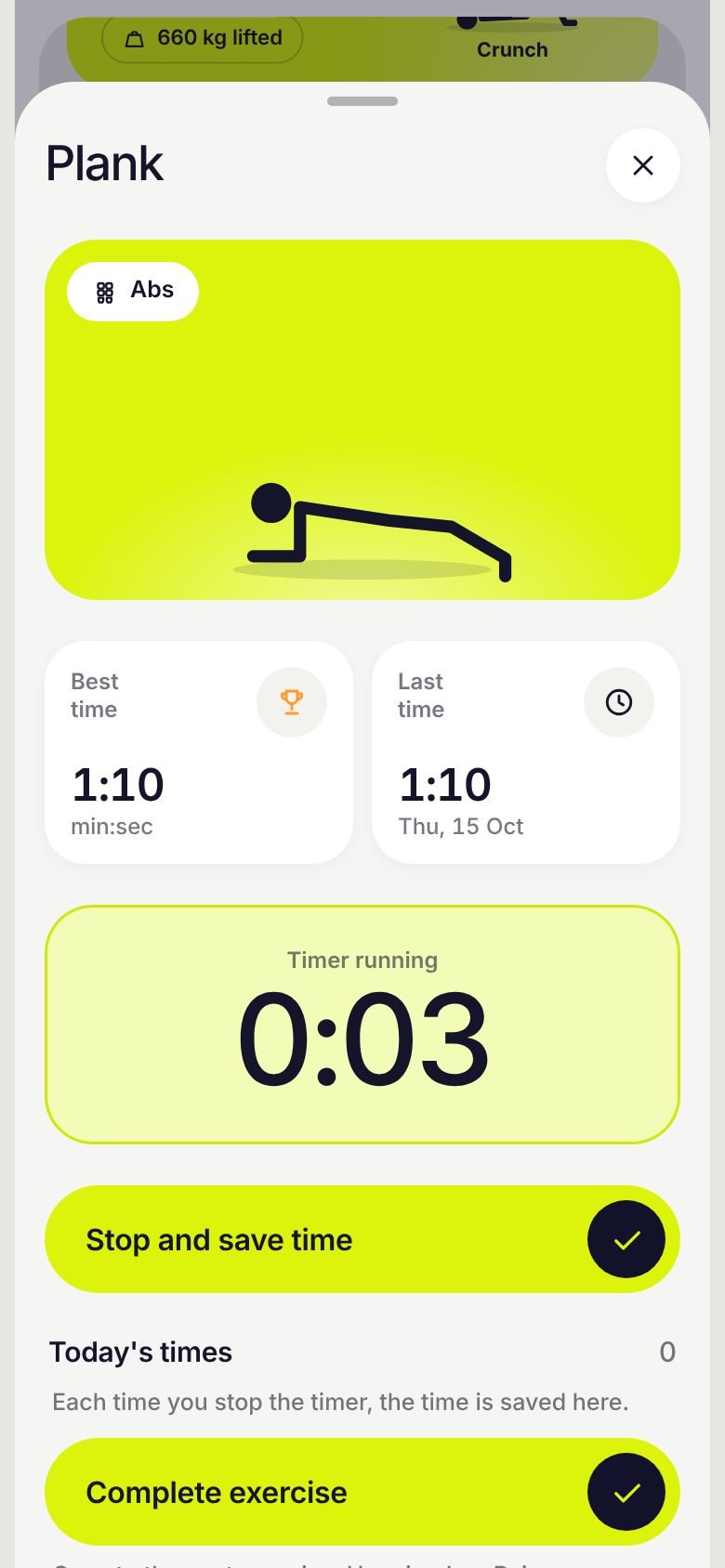
Timed holds get a stopwatch
Planks, wall sits and dead hangs get a built-in stopwatch, and every time is saved.
- Best and last timeEvery stop is saved, so you can see if your plank is getting longer.
- Make any exercise timedSwitch an exercise between sets and a stopwatch from its edit screen.
- Your own form videosPaste a YouTube or Instagram reel link and it plays right on the exercise screen.
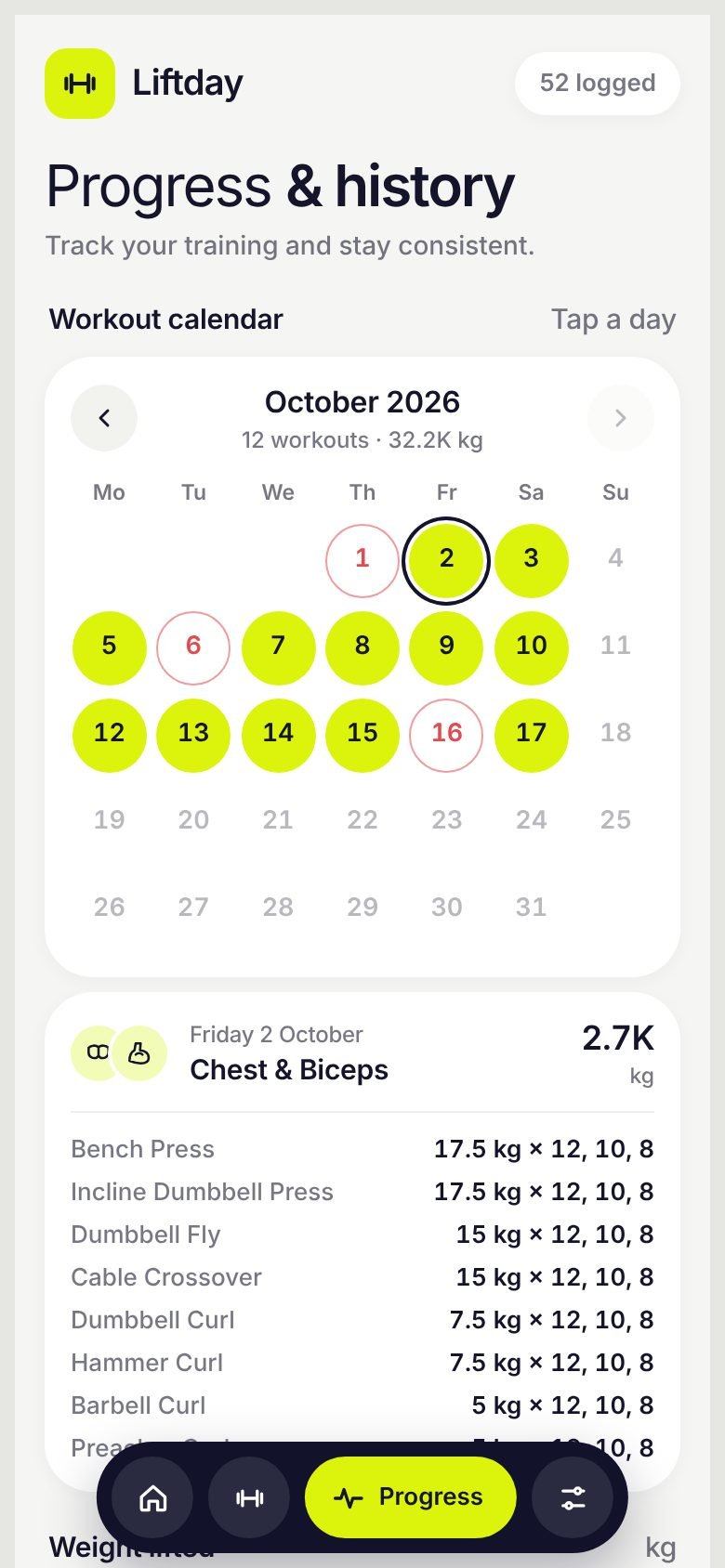
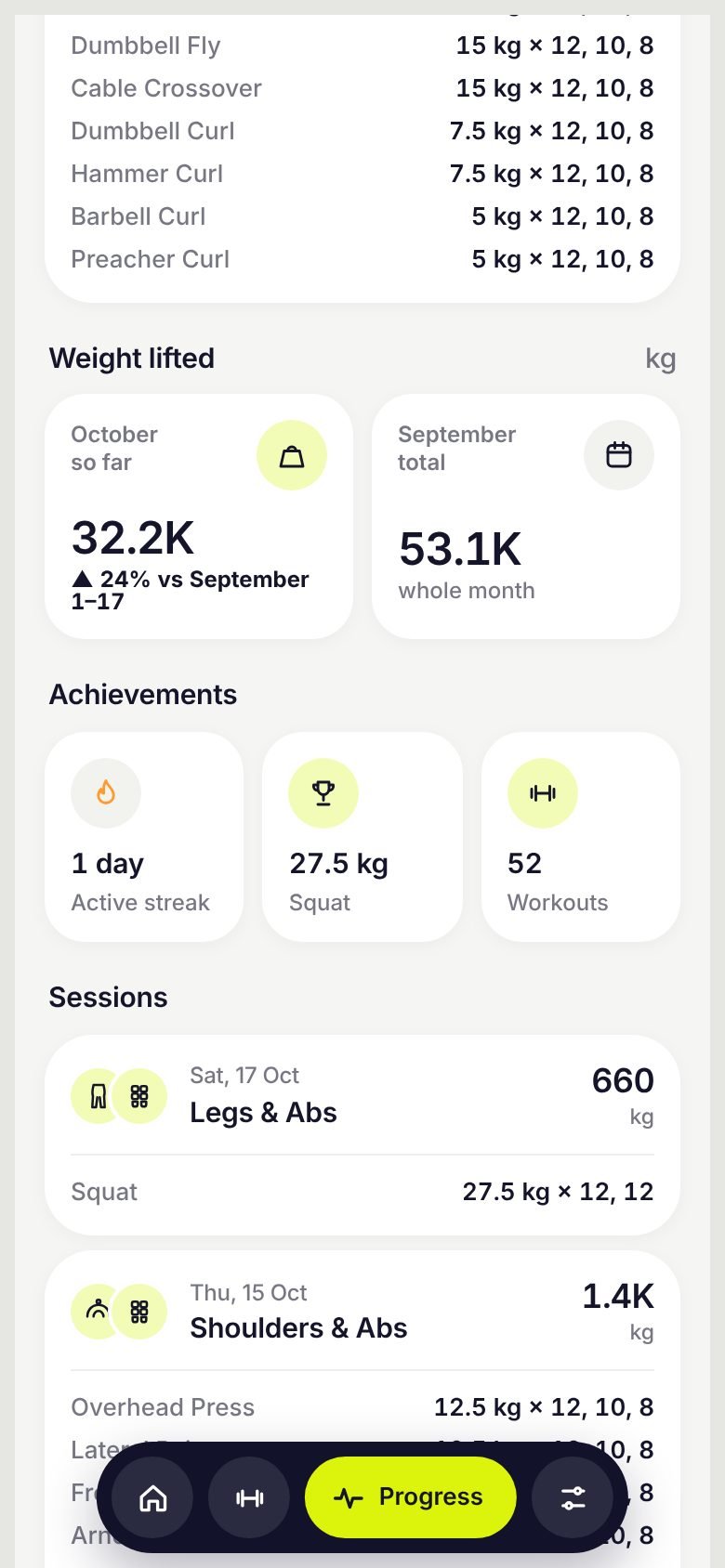
Every workout, every kilo
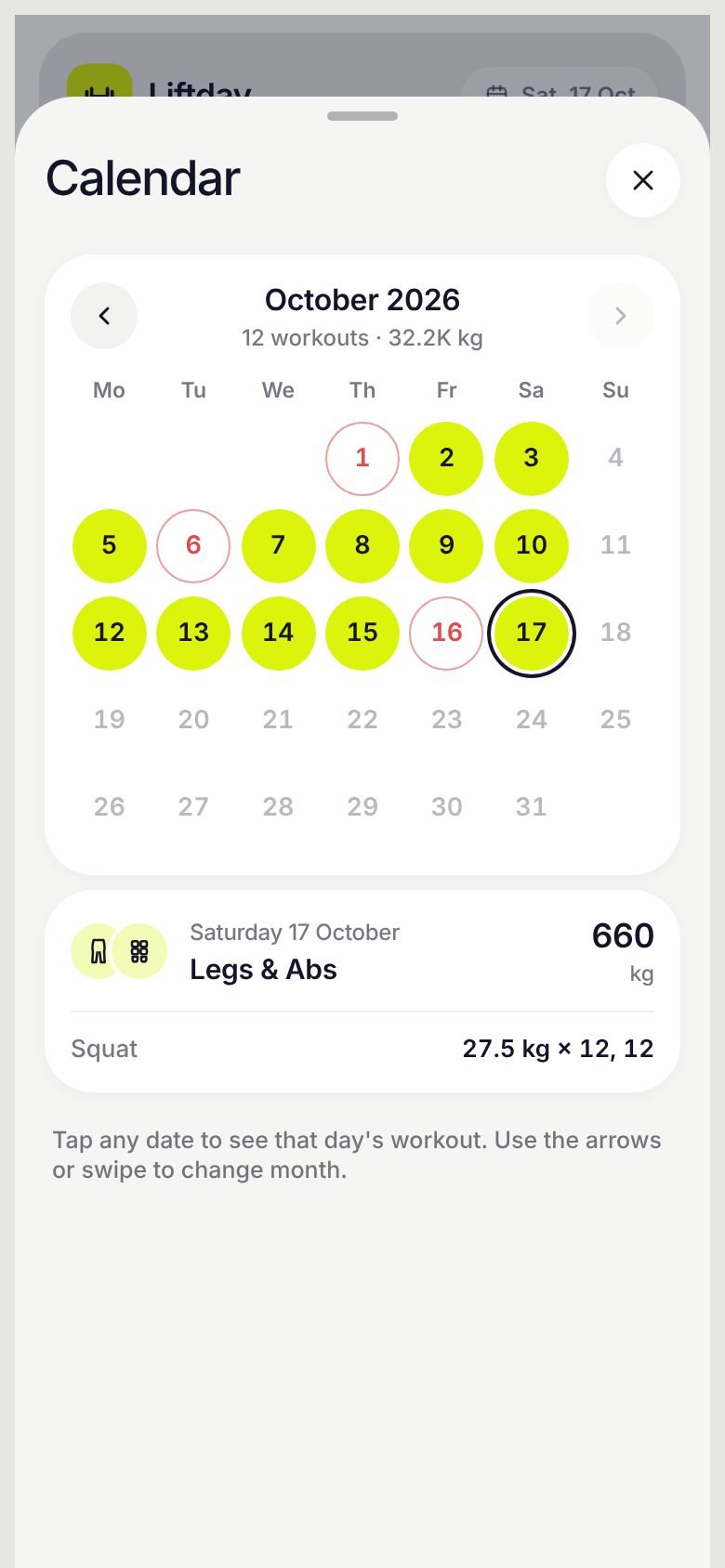
Open the calendar, go back up to a year, and tap any day to see exactly what you trained.
- This month vs last monthTotal weight lifted so far, shown as 19.8K kg, against the same days last month.
- Streaks that make senseDays off and holidays never break your streak.
- One tap from HomeTap the date at the top of Home, or any day in the week strip, to see that day’s sets.
Light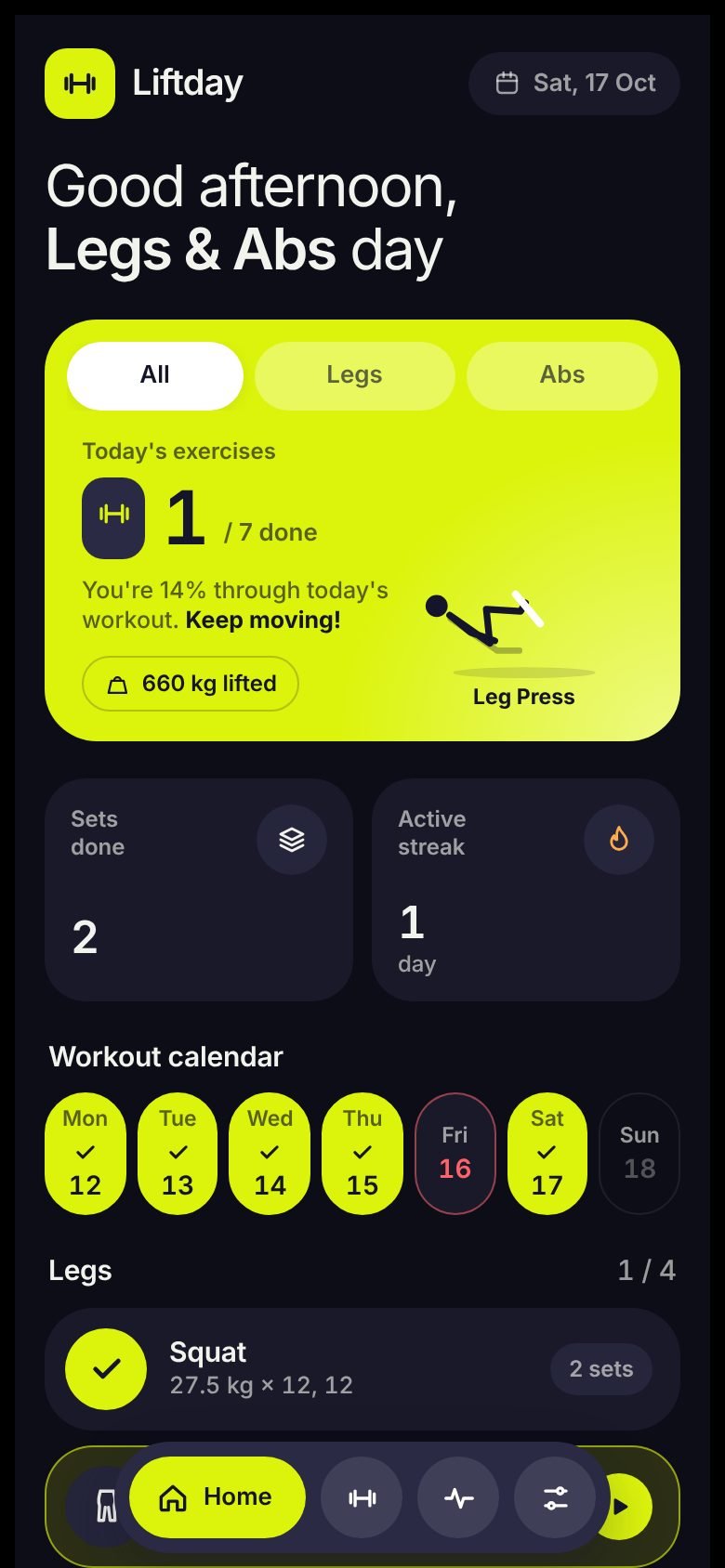 Dark
DarkLight, dark, synced
Pick light, dark, or follow your phone. The lime-and-navy look stays the same.
- Google sign-in syncYour plan, logs and videos follow you to any phone.
- Reset the plan, keep historyStart a fresh plan without losing a single logged workout.
- Safe eraseErasing everything asks you to type “erase” first, so it never happens by accident.
Every exercise, animated
All 160 exercises have their own looping movement guide. These run live.
Take a look around
Swipe through real screens from Liftday.
Up and running in a minute
Pick a split
Choose one of 7 famous splits, or tap each day and choose its muscles yourself.
Train and log
Open Home, follow today's list, log your sets and tap Complete to move on.
Stay on track
Miss a day and the plan shifts. Check the calendar and watch your monthly total climb.
Questions, answered
Is Liftday free?+
Yes. You can download Liftday from Google Play and use every feature on this page without paying.
What happens when I miss a workout?+
With Shift workouts on, the app asks whether to do the missed workout today. If you do, every later workout moves one training day later and skips your days off. With it off, the missed workout is skipped and the week stays as planned.
Do I need an account?+
No. Liftday works offline and saves on your phone. Sign in with Google only if you want your plan and logs on more than one phone.
Can I use pounds instead of kilograms?+
Yes. Switch between kg and lb in Settings. Weight steps follow standard dumbbells: 2.5 kg or 5 lb.
Can I add my own exercises and videos?+
Yes. Type your own exercise into any muscle's list, and paste YouTube or Instagram links on any exercise to watch them in the app.
Will changing my split delete my history?+
No. Changing split or resetting the plan keeps every logged workout, your videos and your own exercises. Only "Erase everything" removes them, and it asks you to type "erase" first.
Is there an iPhone version?+
Liftday is on Android first. Follow us on Google Play for updates.
Your best week starts today
Download Liftday, pick a split, and log your first set in under a minute.
Download on Google Play